
FaxTalk FaxCenter Pro 10
Advanced Windows Fax Software
FaxTalk FaxCenter Pro 10 fax software provides all the tools needed to manage fax communications quickly, efficiently, and easily. Further, the advanced fax capabilities eliminate the need for a stand-alone fax machine and turn your computer into a complete fax communications system. As a result, the software provides a central place to send and receive faxes, manage contacts and phonebooks, and store fax transmissions.
Complete fax software solution for sending faxes
Whether you are sending a fax to a single recipient or broadcasting faxes to multiple recipients, the software provides the features you need. Above all, produce professional, high quality color faxes containing text and images by simply printing or using a color scanner. Broadcast faxes to multiple recipients in color, grayscale, or black and white with just a few mouse clicks. Moreover, when sending faxes to multiple recipients, each recipient can receive a unique coversheet personalized with their name, company, and fax number information.
Combine multiple documents into a single fax and create fax transactions from printed documents using a color scanner. You can choose to have the fax sent immediately, or schedule the fax to be sent at a specific date or time. Transmit faxes faster and more reliably with support for V.34 33600 bps “Super G3” fax speeds. Subsequently, you can also preview fax documents before sending and add annotations, rearrange pages, and verify the appearance of the fax document.
Send and receive faxes using a fax modem or an Internet T.38 service
Regardless if you’re using a fax modem to fax over a telephone line, or T.38 Internet fax support to fax over the Internet, FaxTalk provides a solution. Depending on the volume of faxing, availability of a telephone line and Internet access, FaxTalk can use a fax modem and avoid monthly charges, or use a standard Internet T.38 service and pay a reasonable monthly rate. In both cases, your confidential fax and contact data is kept on your computer where it belongs.
Use custom coversheets
You can create custom coversheets using the included Coversheet Designer and add text, graphics, objects and company logos. For example, create a completely unique coversheet template that you can then use when sending faxes to customers or clients. A built-in spell checker is included to help you avoid spelling errors.
Powerful phonebook capabilities
Combine contacts within a phonebook into groups and as a result, speed up multiple recipient selection. Likewise, use the multiple phonebook support to categorize contacts. Also import contacts from comma separated ACSII files, or access contacts directly from Microsoft Outlook without the need to import.
Receive faxes on your computer
Your computer becomes an advanced “super” fax machine for receiving faxes and provides features to save you time and money. Most importantly, view received faxes on screen, print a copy, or save the fax for future review.
Forward faxes to an email address
Forward received faxes to an email address or another fax number. When forwarding faxes to an email address, the software includes the transaction details regarding the received fax. In addition, faxes are stored in a standard format like PDF for universal accessibility.
Avoid junk faxes
To help you avoid junk or spam faxes, FaxTalk FaxCenter Pro 10 supports junk fax filtering which enables you to prevent the reception of unwanted faxes.
WinFax PRO Replacement Fax Software
When looking for a WinFax PRO alternative, you want the switch to new software to be simple. FaxTalk FaxCenter Pro 10 makes this process easy since FaxTalk has a similar interface to WinFax PRO, and operates in much the same way. Many of the standard tasks and operations you perform in WinFax PRO are also performed in the same manner in FaxTalk FaxCenter Pro so you spend less time having to re-learn how to use a new program.
Keeping your old WinFax PRO data is also very important. If you’ve been using WinFax PRO you probably have old faxes and phonebooks in WinFax PRO that you don’t want to lose. To make switching easier and to aid in the transition from WinFax PRO, FaxTalk FaxCenter Pro includes import capabilities for importing existing WinFax PRO phonebooks and WinFax PRO fax files.
With support for the latest versions of Windows, familiar look and feel, and unparalleled reliability the perfect WinFax PRO replacement is FaxTalk FaxCenter.
Fax Software That Supports Caller ID and Distinctive Ring
Caller ID and Distinctive Ring support is included, even in Windows operating systems such as Windows XP and newer versions. The software will store the Caller ID information with received faxes for easy identification of the caller. In addition, with Distinctive Ring support you can assign FaxTalk FaxCenter Pro 10 to only answer a specific ring pattern so calls on your voice number are ignored but calls on your fax number are automatically answered.
Try FaxTalk FaxCenter Pro 10 Fax Software Free!
In short, truly an advanced color fax software solution and provides a wide range of features and capabilities to extensive to fully list. Therefore, to see how the features and capabilities of FaxTalk FaxCenter Pro 10 can work for you we invite you to download a free 15 day trial.
See Feature List
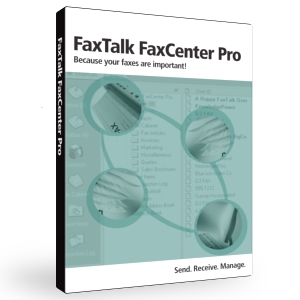
Purchase now for only:
$59.95
Sales Questions?
Call
1-800-532-9825
Compatible with:
Windows 11
Windows 10
Windows 8
Windows 7
Windows Vista
Windows XP
Windows Server 2022
Windows Server 2019
Windows Server 2016
Windows Server 2012
Windows Server 2008
Windows Server 2003
Languages Available: